If Your Team Has to Explain the System, the System Still Has Work to Do

If Your Team Has to Explain the System, the System Still Has Work to Do
You built the portal so customers could check their own status, and the support queue did not shrink.
Your team's explanation is that customers prefer to call.
They call because the portal tells them what happened and your team tells them what it means.
Support has a saved reply ready for it: the documents arrived, the review team has them, an email will come when the review finishes.
That reply is the screen the customer should have seen, and until it gets there, you are paying people to be the interface.
Why do customers still call after using a portal that works?
Customers call after using a working portal because the screen confirmed that something happened and left them to work out what it means.
In May 2024 Sonos relaunched its app without sleep timers, local library management, queue editing, or the accessibility features blind customers had relied on for years. The app loaded, connected to speakers, and played music, and a customer who opened it to set an alarm could not. The stock went from $17.88 in early May to $13.09 by August, revenue fell 16% in the fourth quarter of fiscal 2024, and CEO Patrick Spence left the company in January 2025. None of that started with a crash.
What does it cost when your team has to explain the software?
Explanation costs you a role you never hired for, and nothing about it is written down.
You can name the person who writes those replies. They know which status means the file sits with underwriting and which one means it is waiting on the customer, and they know the dashboard number excludes paused accounts. That knowledge is load-bearing, stored in one head, never reviewed, and already inconsistent by the time a second person starts answering the same question their own way.
Put a number on one of them. Fifteen sends a week at six minutes each is ninety minutes, which is about seventy-eight hours a year on a single saved reply, and your team has more than one.
When that person leaves, the company finds out how much of the interface was being supplied by a human. That dependency is on no architecture diagram you own, and it has one name on it.
What do support teams add when they explain your software?
When your team explains your software, they read the screen out loud and then add the parts it left out, and the parts they add are your specification.
Listen to what gets added:
- The translation of an internal label into what it means for this particular person
- The name of the team that actually has the work right now
- The fact that something already happened automatically that the screen never mentioned
- A timing expectation the system never offered
- Whether the person needs to act or only wait
- What to do if the information on the screen looks wrong
- The exception that applies to this account and not to the others
Every item on that list is a field, a label, or a line of copy your team is currently delivering by voice. The explanation is the missing feature, delivered out loud by a person on payroll.
What should a status label define before it goes live?
A status label is a business rule your team has compressed into one word, and it should arrive with the rule written down somewhere other than in their heads.
Before a status enters the system, your team should be able to answer seven things about it:
- What it means, in a sentence a customer could read
- What event moves a record into it
- Which roles are allowed to set it
- What fires automatically when it is set, including billing and notifications
- Who gets told, inside the company and outside it
- What the customer or member sees change
- What the next step is, and whose it is
Your team can answer some of those from memory and will guess at the rest, which is why that question lands in Slack before a claim gets moved to Closed. Until the answers exist in writing, the rule lives with whoever has been there longest, and every new hire learns it by getting it wrong once.
Do automated notifications reduce support tickets?
Automated notifications reduce support tickets only when the message answers the question it raises, and one that announces a change without naming it sends the customer to your team anyway.
Klarna said in February 2024 that its AI assistant was doing the work of 700 agents, handling two thirds of customer chats and 2.3 million conversations in its first month, with average resolution under two minutes. By May 2025 the company was hiring agents back, with chief executive Sebastian Siemiatkowski telling Bloomberg that "really investing in the quality of the human support is the way of the future for us."
The automation was fast, available, and consistent, and none of that was the problem. It could not supply the part a person adds, which is judgment about what this situation means for this customer, and a message that arrives in seconds without saying what changed still produces a ticket.
What makes software self-explanatory?
Software is self-explanatory when the screen answers the reader's next question before they have to go ask it.
That means the screen carries what a person would otherwise have told them:
- What happened, named specifically rather than as a state change
- What it means for the person reading it, in their vocabulary
- Who holds the work now, by team or by role
- Whether the reader has to act, and by when
- Where the number came from and when it last refreshed
- What to do if something looks wrong
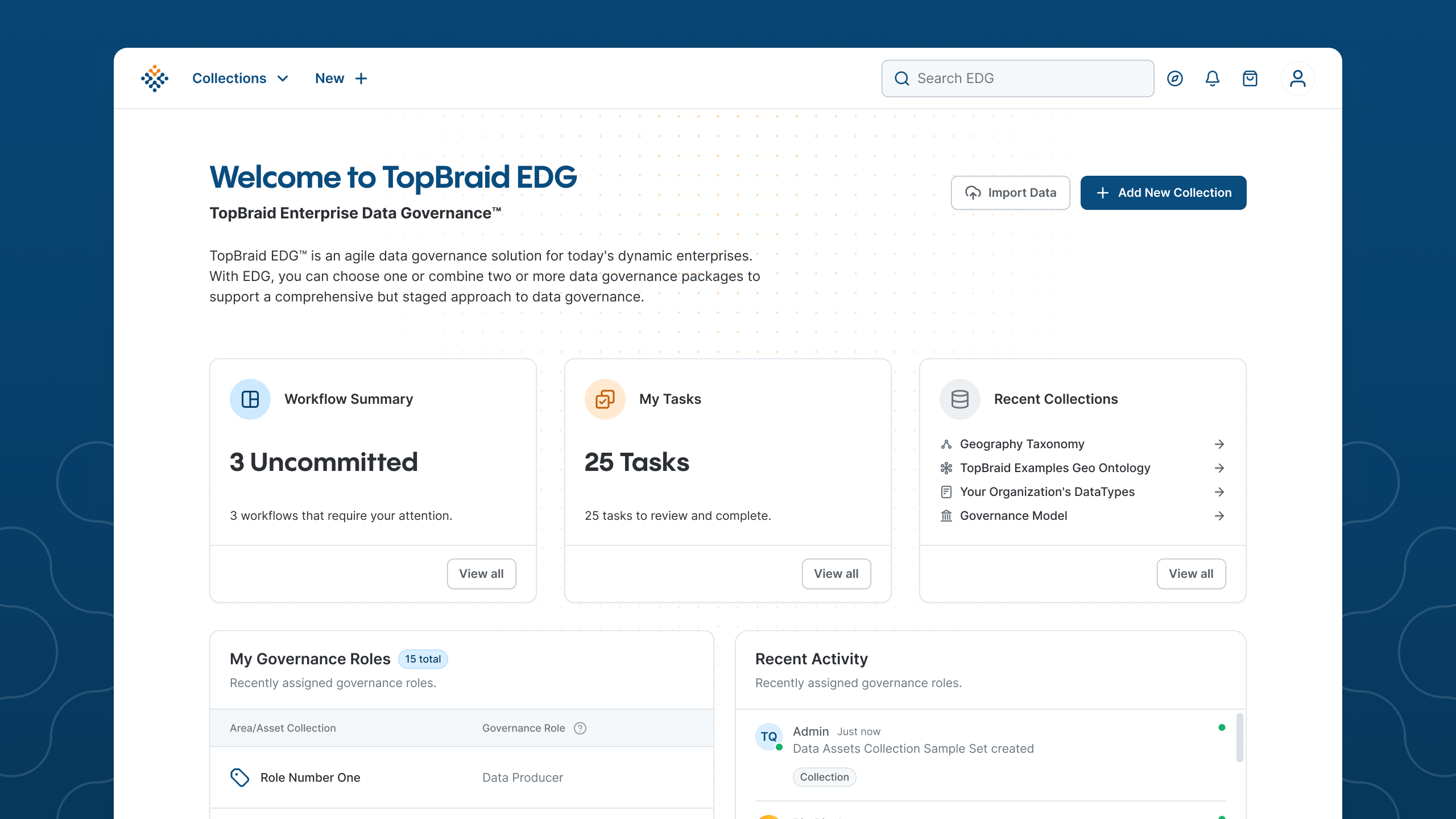
TopQuadrant came to us with a platform that data stewards, information architects, and compliance officers rely on, where the technology was powerful and the interface created a steep learning curve that slowed adoption. We audited the existing application first, documenting the inconsistencies and confusing flows, and that audit became the roadmap. The rebuild lowered the barrier to entry without stripping out the depth the platform is known for.
We believe that business is built on transparency and trust, and that good software is built the same way, which on a screen means the person reading it can tell what happened without calling to find out.
How do you find the parts of your product that need explaining?
You find the parts of your product that need explaining by counting the times your team explains them, which rarely shows up in any report your roadmap is built from.
Four steps, and the first one runs for two weeks:
- Tag the explanations. Have support flag every ticket where the answer was an explanation rather than a fix, and keep those separate from the bugs. Nothing was broken in them, which is why they have been invisible to engineering.
- Read the top five. The repeated question tells you which screen is unclear, and the answer your team keeps giving is the copy that screen is missing.
- Run the same count internally. If employees ask each other what a status does before they set it, that status is a business rule the software is keeping to itself, and the people who know it are carrying your workflow documentation in their heads.
- Build the smallest one first. It is usually a label or a line of copy, and it arrives with a verified user need written in the user's own words.
Not every explanation is a defect. A first-time user asking how the product works is onboarding, and a customer with a genuinely unusual situation should reach a person. The repeats are the signal, where the same question arrives from different people about the same screen, because that is the system asking for copy.
Start with the question your team answers most often this week, and put the answer on the screen that prompts it.
Related Articles
Here are a couple related articles to view, or return back to the main page.



Check out the BIZ/DEV podcast
Our weekly tech podcast focusing on AI, our industry, the founder's journey, and more.