How Do You Find Out What Your Old Software Actually Does?
How Do You Find Out What Your Old Software Actually Does?
Your team knows what your oldest system does, and you already know which system that is.
Ask why it does it, though, and the answers get thin fast.
That's not a failure on their part.
The rules live in the code, along with the thresholds, the cutoffs, and the exceptions a developer added years ago, and that developer has since moved on.
None of this matters until you decide to rebuild, and then it matters enormously, because a new system only carries the rules you can name, and the ones you miss turn up later as customer complaints on a project you approved.
Getting them out is a research job with three places worth looking: the code itself, the screens your team actually uses, and the exceptions they handle by hand.
Why can't your team explain what your legacy system does?
Your team can tell you what the legacy system does on a normal day, but the rule behind that behavior is a line of code they have probably never set off.
The instinct is to run a requirements workshop, which will give you intent and stop there.
Ask what happens when a claim comes in over the threshold and you'll hear what usually happens next, which is true without being the rule.
The person processing claims knows the outcome in the cases they see, and their job never asked them to learn the threshold itself, or what the system does when the date field comes through blank, because the software was handling all of that for them.
When a rule isn't written anywhere a system can read it, something will answer anyway. In February 2024 a Canadian tribunal ordered Air Canada to pay a passenger after its chatbot told him he could apply for a bereavement discount after booking, which he could not.
Air Canada argued it shouldn't be liable for what its own chatbot said, and the tribunal held it liable anyway. The real policy had been sitting on the airline's website the whole time, on a page the chatbot wasn't reading.
Your business has a version of that without the hearing.
The rules your legacy system is already enforcing on your behalf are the ones a rebuild has to carry, which is why naming them is the first job rather than the last.
What business rules are hidden in your code?
The code is the only complete record of what your system decides, and reading it for rules is a different job than reading it to fix a bug.
What a developer is looking for:
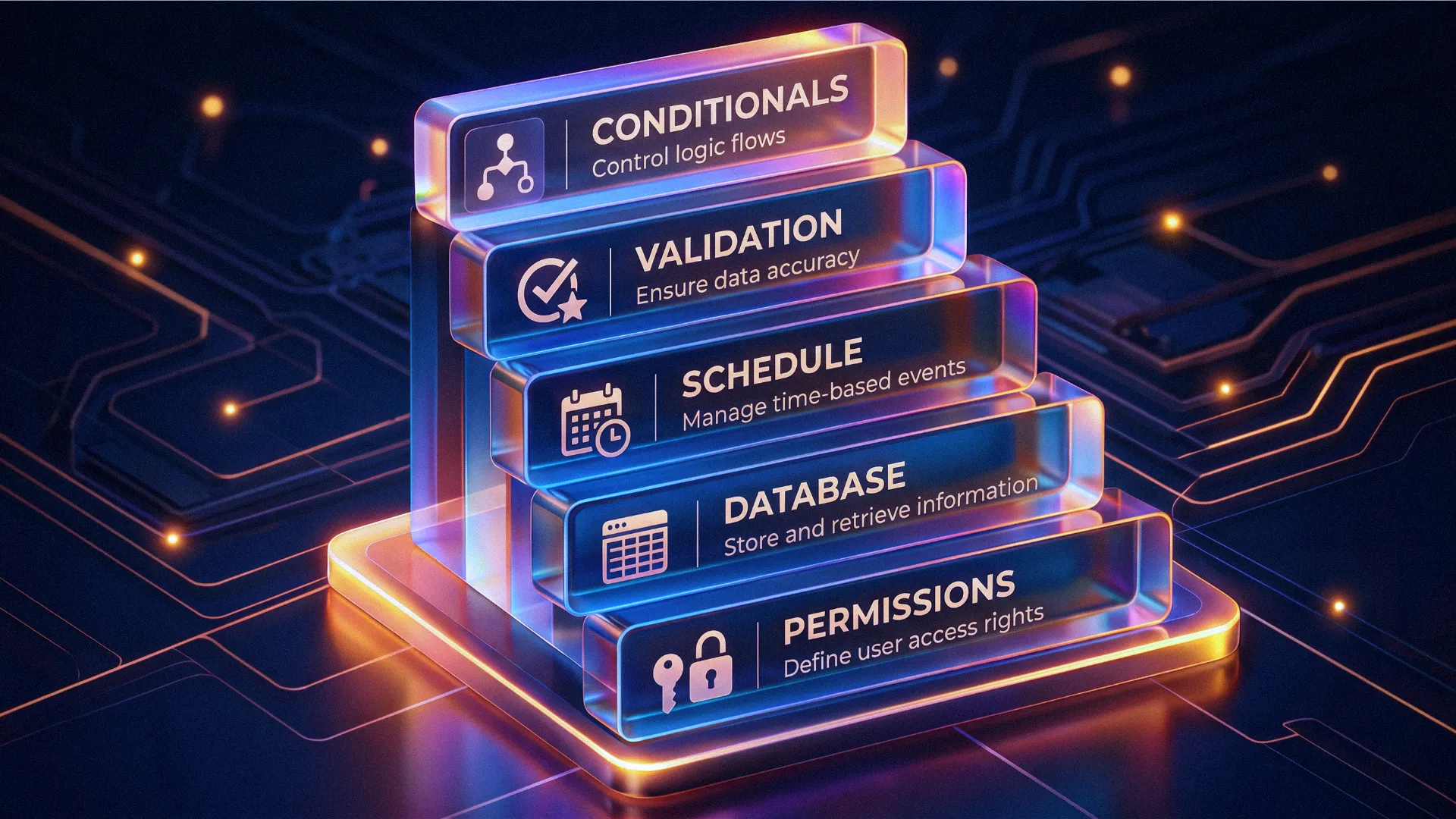
- Conditionals that change the outcome. Thresholds, tiers, dates, and status transitions
- Validation rules. What the system refuses to accept, and what it corrects without saying so
- Scheduled jobs. Anything that acts on records with no person involved
- Database constraints and defaults. Rules enforced one layer below the application
- Hardcoded values. A rate, a limit, a cutoff, a fee, an account number
- Permission checks. Which role can see and change what
- Fallback paths. What the system does when a value is missing or a service is down
Start with the rules that have a number in them, because a number is a decision a person sat down and made.
Thirty days, four percent, two attempts: each of those was chosen for a reason that isn't written anywhere, and there is usually one in the set the team can't defend and won't touch.
How do you find out which parts of a legacy system are still used?
Usage data tells you which of those rules still matter.
The code will hand you every rule the system has, including rules for work your company stopped doing years ago, so on a twenty-year-old platform it gives you far more than you need.
Pull what you can measure:
- Which screens get opened, and how often
- Which fields get filled and which get skipped
- Which reports get run, and which get exported
- Which saved filters and searches people actually reuse
The screens carrying the daily work hold the rules worth keeping, and everything else is a choice you're making by accident right now.
Skip this step and the rebuild doubles in scope, because you'll pay to build logic for a product line you discontinued and then pay again to test it.
What do manual workarounds reveal about your software's rules?
Every case your team handles outside the system is a rule the software never got, or one it got wrong.
Go find the spreadsheet. There's one beside almost every old system, tracking the cases the platform has no status for, and it has a filename along the lines of Tracker_v4_FINAL.xlsx.
It is also the most honest requirements document in the building. The same goes for the saved email replies and for the step where a person checks something by hand before approving it, because each of those workarounds marks a real situation the system had no answer for, which your team then handled anyway.
Leave them undocumented and an invented rule eventually reaches a customer. In April 2025 Cursor's AI support agent told users that logging in from more than one device broke policy, which was not a policy that existed, and customers canceled over a rule the company had never written.
A new hire does the same thing on a smaller scale, because the person at the front of the queue has to say something.
How does Big Pixel document an existing system before rebuilding it?
We read the old code before we price the new system, because a rebuild quoted without reading it is a guess.
A developer goes through the codebase for the rules above while we pull the usage numbers and sit with the people handling the exceptions.
All of it lands in one document your operations lead can read, because if they can't read it then it can't be checked. Clients are expected to argue with what's in there, and the good ones start before we finish presenting it.
For TopQuadrant we ran a UI/UX audit of the existing application, documenting inconsistencies, friction points, and confusing user flows, and that audit became the roadmap for everything that followed.
Their platform serves data stewards, information architects, and compliance officers who need real depth, so the redesign had to get new users started without stripping out what the experts came for, and the audit told us which parts were which before any design work began.
We believe that business is built on transparency and trust, and that good software is built the same way, which on a rebuild means you get to read the rules we found, in your own language, before we write a line of the new one.
What documentation do you need before a legacy rebuild?
You need a rule register: one document listing every decision the old system makes, where it lives, and who owns it now.
What belongs in it:
- The rule, in a sentence a non-developer can read. The decision itself, in plain language.
- Where it lives. File, table, job, or configuration, so it can be verified.
- The number and its reason, when there is one. Flag the ones the team cannot explain.
- Who owns it now. A person or role who can confirm the rule is still correct.
- Whether it is still live. Confirmed against usage evidence.
- What breaks if it changes. The workflows and integrations downstream of it.
The fair objection is that this is paying for archaeology before you get any new software, and that's exactly what it is.
The alternative is paying for the same discovery later, when the rebuild has gone live missing rules your customers rely on and you're finding them one complaint at a time with the old system already switched off. Reading the code first moves all of that forward to the point where changing your mind is still free.
Start with one workflow. Have a developer read the code behind it and write down every decision it makes, then hand that list to the person who runs the workflow and watch which items they argue with.
The arguments are where the real rules are, so put an hour on the calendar and expect to use all of it.
Related Articles
Here are a couple related articles to view, or return back to the main page.



Check out the BIZ/DEV podcast
Our weekly tech podcast focusing on AI, our industry, the founder's journey, and more.